Pydantic has shipped Pydantic AI Pax, a coding agent that runs in the terminal, and put the capability library behind it into beta. That library is due to reach 1.0 in about a month, after which it will follow the same versioning policy as the Pydantic AI framework. Until then the team is asking developers to try to break it.
The library, launched in June next to Pydantic AI v2, ships more than 100 capabilities that can be attached to any agent.
Framework, capabilities and the coding agent
Pydantic AI itself covers the agent loop, support for models from all the large providers, tools and structured output. A capability sits on top as a package of tools, instructions and hooks.
The beta library collects capabilities meant for production. Examples include durable execution that survives crashes and restarts, a single workspace interface spanning your own computer and about a dozen sandboxes, native computer use for each model provider, and fallback to another model when one refuses a request. Agents built on the SDK get durable execution, but Pax doesn’t have it yet. Memory, guardrails, sub-agents and Agent Skills are in the box as well.
Coder() is the capability that makes an agent a coding agent. Pax is the terminal front end for it, and Pydantic pitches it both as a daily tool and as a demo of what the SDK can do.
Plugins all the way down
Pax treats nearly everything as a plugin, from the coding agent to sandboxes, MCP support and Logfire tracing. A plugin can add agent tools and hooks along with terminal features such as slash commands, status bar entries and login flows. The /plugins screen switches each on or off. Disable coder and Pax turns into a plain chat client without file or shell access. Pax can also write new plugins for itself on request.
Developers who want their own agent can pass the –agent flag with a path to any Pydantic AI Agent in their repository. Pax then skips its plugins and runs that agent unchanged, keeping terminal features like resuming sessions, git worktrees and non-interactive prompts. The same Agent object can later go into a production service.
Sandboxes, code mode and desktop control
Because file and shell tools address a workspace rather than a machine, one agent can work locally or inside a cloud sandbox without code changes. In Pax, the /sandbox command picks the target before the first prompt: cloud options include e2b, daytona, modal and kubernetes, and local options include smol and BoxLite micro-VMs. Pax copies the current branch and any uncommitted changes across, then runs edits, builds and shell commands inside the sandbox. On providers with an egress proxy, the GitHub token stays outside the sandbox, and the proxy adds it to outbound GitHub requests.
Desktop control arrives in the next release as /computer-use. It starts a sandbox with a visible desktop that the model can operate, and it requires full permissions.
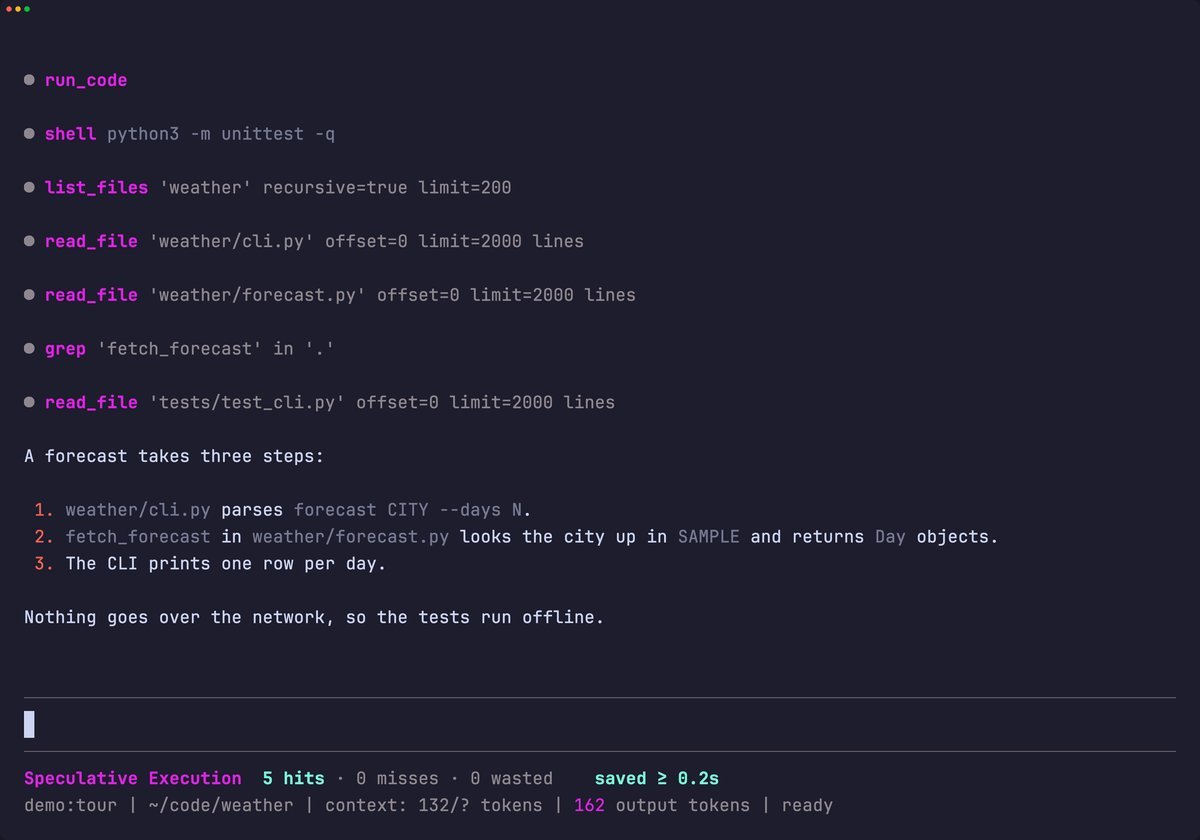
Code mode is switched on by default. Rather than hand results back and forth between tools, the model writes a brief Python script that searches, reads files and returns only the relevant parts. A keyboard shortcut enables speculative execution, which begins safe file reads while the model is still producing its answer. Logfire still records each tool call as its own span.
Switching from Claude Code or Codex
Pax lists existing Claude Code and Codex sessions beside its own, and flags let you import one and carry on with any model. It reads AGENTS.md and CLAUDE.md for repo context and picks up Agent Skills stored in the .agents and .claude skill folders.
How it scored
Pydantic compared Pax with other coding agents on its SWE81 benchmark, using eight models and keeping the model constant within each comparison. Of the four agents that completed every model, Pax scored best on average, but only just: 58.5, versus 58.2 for OpenCode, 57.6 for deepagents-code and 57.3 for pi. Pi was the cheapest option at $6.47 per run on average, while Pax averaged $7.69.
Against the vendors’ own tools, a Pax run on GPT-6.2 Sol cost $9.21 where Codex cost $21.05. On Claude Opus 5.5, Pax came to $24.61 and Claude Code to $25.10. Under the standard grader, Pax scored 51.0 against Codex’s 49.8 on Sol, and 54.9 against Claude Code’s 53.5 on Opus. In a separate matchup on GPT-6.1 Sol, Codex edged ahead 63.0 to 62.4, though Pax needed 29% less spending, using 8.0 million input tokens per run against 20.8 million.
Treat the numbers with care. They come from single runs in November, the Sol and Opus results use a looser rescoring applied to all agents equally, and Pax ran Sol in its maximum autonomy mode, which never pauses to ask permission.
How to try it
Running uvx pydantic-ai-pax launches it without installing anything, and uv tool install pydantic-ai-pax keeps it. macOS already includes an unrelated pax archiver, so if the wrong program starts, open a fresh terminal or call pydantic-ai-pax directly.
Full methodology, extra runs and more benchmarks are promised with the 1.0 release next month. Bug reports and feature requests go to the team’s Slack or issue tracker.
Source: pydantic.dev