
Running Docker in a Dev Container with the official Docker-in-Docker feature works, but it opens a hole in isolation. The feature needs the container to run in privileged mode, which lets anyone inside it start a new container that mounts the entire host filesystem. That matters most when autonomous coding agents such as Claude Code, Codex or Copilot work inside the container.
What a privileged container allows
An attacker in a privileged container can mount the host disk, for example /dev/sda, or abuse kernel capabilities to run code as host root. That bypasses sandbox limits on filesystem access, credentials and the firewall, and opens the door to credential theft, malware, host compromise and resource hijacking.
Some projects can avoid Docker inside the container altogether. The developer behind these tests couldn’t, because the apps use Supabase, whose CLI doesn’t let you swap container images. That left four ways to proceed.

Docker socket proxy: safer, mostly read-only
A proxy such as Tecnativa’s Docker Socket Proxy sits in front of the Docker socket and permits only chosen operations. You can allow docker ps, docker logs and docker inspect while blocking docker run and docker exec. An agent can then inspect and debug a stack, but it can’t start Supabase, so it didn’t meet the need.
Alternative runtimes: Sysbox and rootless Podman
Sysbox lets a real Docker daemon, systemd or even Kubernetes run without privileged mode. The host setup is heavy: a .deb package, two systemd daemons and a Docker restart. It works only on Linux, since Docker Desktop can’t install a runtime in its VM.
Rootless Podman needs no daemon and runs the engine as a non-root user, so a process that escapes its container lands with that user’s permissions instead of root’s. The developer tested three layouts, and all three ran Supabase:
- Option 1, rootful Docker on the host with rootless Podman inside: six added capabilities, a modified seccomp profile, AppArmor disabled and /proc unmasked.
- Option 2, rootless Podman on the host with rootful Docker inside: six capabilities in a user namespace, plus ip_forward.
- Option 3, rootless Podman in both places: three capabilities in a user namespace, plus tun and an unmasked /proc.
Podman wasn’t a drop-in replacement. Healthcheck pollers work differently, so Supabase needed adjustments. The pick was Option 2: far safer than Option 1, an escape lands as a subordinate user, and it needs no custom poller or shim. Option 3 loosens less, but an escape lands as the host user.
MicroVMs: stronger isolation, more RAM
For protection against kernel exploits, Docker alone isn’t enough, and a microVM adds a lightweight VM boundary. A Dev Container still has value inside one, because it standardizes the development environment. IDEs reach the code over SSH, and the claude CLI can run inside the VM.
Four tools were tried. Multipass is stable and scriptable but general-purpose, so you set up tooling and egress filtering yourself. Microsandbox has an egress allowlist and a secrets model, but Supabase wouldn’t start in it. Nixbox is KVM-isolated with egress filtering, but Linux-only and very young. Docker Sandboxes ran Supabase on the first try, with credential injection and a network allowlist, at the cost of more memory than plain Docker.
Memory was the sticking point. The developer’s hardware couldn’t comfortably run more than about three such VMs in parallel.
Cloud sessions with Claude Code Web
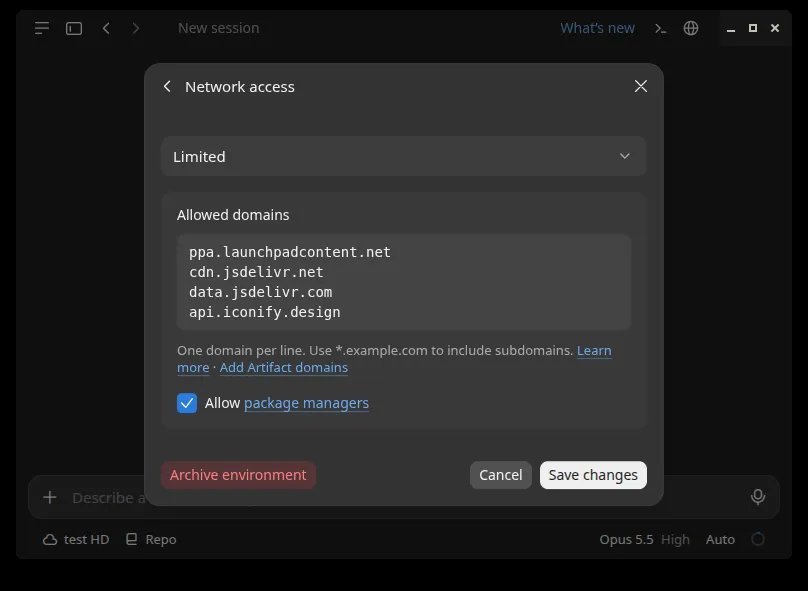
Claude Code Web spawns Firecracker microVMs in the cloud with Python, Node.js, PHP, Java and Docker preinstalled. Its sandbox offers a GitHub proxy, network egress limits and network secrets that resolve at request time, so the agent never sees the actual value.
The downsides are real. You can’t expose a port to the internet, setup scripts must finish within five minutes, personal skills and hooks don’t carry over unless packaged as a plugin, and resources are capped at 4 vCPU, 16 GB of RAM and 30 GB of disk. Docker Hub sometimes returns 429 errors, and sessions go idle after about five minutes. Even so, the developer now defaults to cloud sessions. A colleague found that Tailscale can expose a running app, which gets around the port limit.
What comes next
A follow-up on running agents securely in Dev Containers is planned, and so is an article on non-root containers.
Source: Marmelab