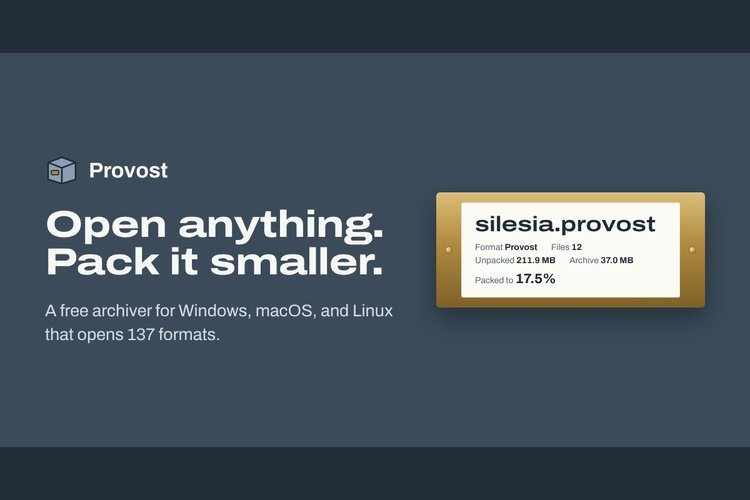
A new free utility called Provost can read 137 archive and compression formats and write 119. This Provost archiver is at version 0.1.0 and targets Windows, macOS and Linux, with builds for Intel and ARM processors, in graphical and terminal flavors.
Its main pitch is size. The tool introduces a native .provost format with a custom-coded compressor. Its developer claims it outdoes 7-Zip’s default method, ZPAQ and Zstandard in internal comparisons.
How the compression numbers stack up
The developer ran the Silesia corpus (211.9 MB across 12 files), compressing each file separately on one core. Provost’s default level produced 44.3 MB, against 48.8 MB for xz -9, the LZMA2 method 7-Zip uses by default. That is about 9% smaller, and the developer says it packs faster too. The top level made 37.0 MB, ahead of ZPAQ’s best result of 39.1 MB.
The nine levels fall into three groups:
- Levels 1 to 3 use PVF, Provost’s own LZ codec. It opens at over 200 MB per second and comes out 3 to 5% smaller than Zstandard at levels 1 and 2.
- Levels 4 to 6 are the default. Each block goes to either a Burrows-Wheeler context-mixing coder or an LZ coder with a built-in starter dictionary, whichever is smaller.
- Levels 7 to 9 use context mixing for archives meant to sit for years. Level 9 is 5.4% smaller than ZPAQ’s top level.
Better compression costs time. Level 5 packs at roughly 3 MB per second per core and unpacks at about 9. Levels 7 to 9 run at 0.25 to 0.6 MB per second in both directions. Because archives are divided into blocks, all cores can work at once.
Repacking JPEGs, PDFs and Office files
Formats like JPEG, PNG, PDF and Office documents are already squeezed, so most archivers just store them. Provost recompresses their contents and rebuilds identical bytes on extraction. For a mixed folder of photos, PDFs and Office files, the developer measured 27% less space than 7-Zip’s strongest setting.
Duplicate content is stored a single time, even for partial repeats. Backups can go into one archive repeatedly; only changes consume space, and any earlier state can be restored.
Encryption and cloud access
Password-protected .provost, 7z and ZPAQ archives use AES-256, which also hides file names. As an alternative, a .provost archive can be sealed for named recipients, each of whom unlocks it with a personal key, so no shared password changes hands. Those keys pair X25519 with ML-KEM-768 (NIST FIPS 203), which is meant to hold up against future quantum computers. Existing SSH keys work too, but without the quantum protection.
The Provost archiver also reads remote archives without a full download first: HTTPS sites, S3-compatible storage, WebDAV servers such as Nextcloud, or SFTP. For .provost, ZIP and ZPAQ files only the needed portions are fetched. A .tar.gz must be downloaded once in full.
Formats it handles
Supported types range from ZIP, 7z and RAR to LHA files from the 1990s. Detection is based on file contents, so a renamed archive still opens, as does an installer wrapping a ZIP or 7z. Besides plain archives, it covers compressed tarballs, single compressed files, packages and installers, disk images such as ISO, and older formats like ARJ and Zoo.
Eighteen formats are open-only, including RAR and RPM. It can also convert one format into another.
Everyday tools
On Windows, the Provost archiver adds Explorer context-menu entries. Files can be dragged into and out of its window, previewed (text, images, PDFs, audio, video) before extraction, and nested archives open in place. Six interface languages are included (English, Spanish, French, German, Japanese, Simplified Chinese), along with light and dark themes and labeled controls for screen readers.
Other features are practical ones:
- Volume splitting for mail attachments, optical discs or FAT32 drives. 7-Zip can read the pieces too.
- Windows executables that unpack themselves, so recipients need no software.
- Update and sync modes for refreshing backups, and pattern-based exclusions such as node_modules.
- Optional recovery records for repairing damaged .provost or .7z files, and salvage of readable files from a cut-off ZIP.
- Full-text search through an archive’s contents, Word, Excel, PowerPoint and PDF files included.
- Hash verification with eight algorithms, among them SHA-256, MD5, CRC-32 and BLAKE2b.
Safeguards include blocking extraction outside the target folder, prompting before overwriting, and a warning when an archive would balloon past 1,000 times its size. If you ask it to delete originals after archiving, it first reads the new archive back to verify it.
Price, downloads and what comes next
Cost is zero, with no sign-up or advertising. Each build is one standalone executable, and the app and the command-line tool are downloaded separately. The command-line version mirrors the app’s functions, and provost list –json returns listings as JSON for scripts.
The catch is that .provost files open only in Provost, so anyone you send one to needs the tool, or a self-extracting .exe. And since this is version 0.1.0, the compression results come from the developer’s own testing. Independent benchmarks on your own files, using the built-in benchmark, will show whether the gains hold.
Source: Provost