
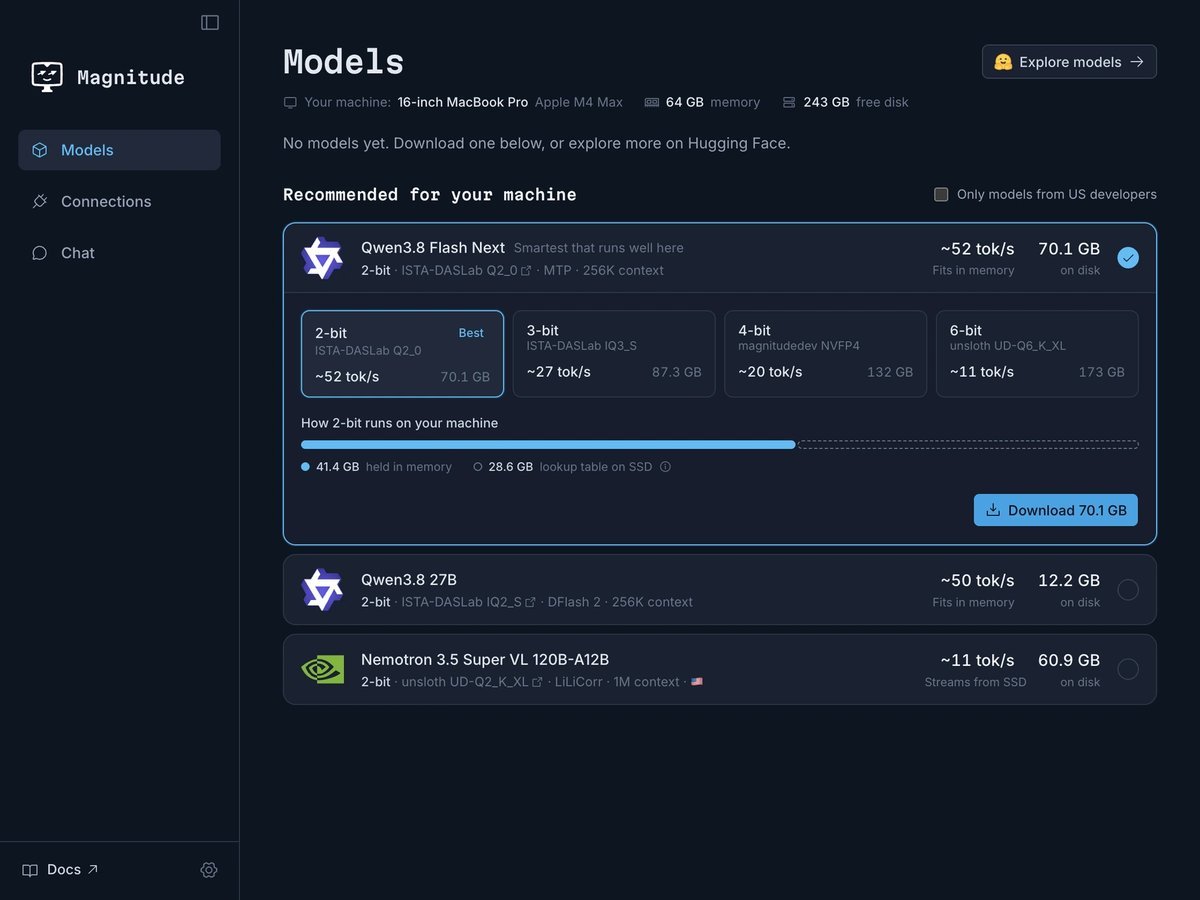
The Magnitude inference engine is an open source tool that runs large AI models on everyday Macs and PCs by spreading them across a machine’s GPU, system RAM and SSD. The project is released under the Apache 2.0 license and aims to let people run powerful open models locally without paying per token. It says its tuned kernels run more than 2x faster than Ollama.
How the Magnitude inference engine fits big models onto small machines
Many of the biggest open models are mixture-of-experts designs made of hundreds of small sub-networks called experts. For any single token, only around 5% of them do work.
The engine uses that. It stores the model in three tiers. The GPU keeps the shared layers and the hottest experts, RAM keeps the next most popular ones, and an NVMe drive keeps everything else. The engine guesses which experts the next token needs and moves them up from disk to RAM to the GPU ahead of time.
The GPU must still hold at least the experts that are active. Past that minimum, caching more experts in VRAM and RAM means more speed, and a quicker drive such as a PCIe 5.0 SSD helps whatever spills over.
Speeds on real hardware
The project lists decode speeds for four setups. All use 2-bit quantization, a 64k context and speculative decoding.
- Mac mini with an M5 Pro and 48 GB of unified memory: Qwen 3.8 Flash Next at 54 tokens per second.
- RTX 3090 (24 GB) with 64 GB of system RAM and a PCIe 4.0 SSD: Qwen 3.8 Flash Next at 41 tokens per second.
- DGX Spark with 128 GB of unified memory: GLM 5.3 Flash at 28 tokens per second.
- RTX 5090 (32 GB) with 128 GB of system RAM and a PCIe 4.0 SSD: DeepSeek V4.1 Flash at 17 tokens per second.
The last result matters for the project’s headline claim. A single gaming GPU is enough to run DeepSeek V4.1 Flash, though at a slower pace than the smaller models. These are the developers’ own figures, and a full benchmark comparison against Ollama is on the project’s site.
Why it’s faster than other local engines
The makers of the Magnitude inference engine say competing engines use generic kernels because hand-tuning each model for each chip is impractical. This one tunes its kernels on the user’s own chip at download time, picks the best speculative decoding drafter for each model, and prefetches streamed experts.
Setup is automatic, with no flags or manual tuning. The app checks the hardware and suggests suitable models first.
Hardware, models and agents
It supports Apple Silicon, NVIDIA, AMD and Intel GPUs, and it runs on a CPU alone. It works on macOS, Linux and Windows, as a desktop app, a headless command-line tool or a Docker container.
Any GGUF model from Hugging Face in a supported family will load, fine-tunes and community quantizations included. The team writes optimized kernels for the most popular open-weight families.
For coding work, one click connects Pi, OpenCode, Hermes, OpenClaw, Codex, Claude Code, Oh My Pi and Cline. Other tools can connect through an OpenAI-compatible API. The engine is also built for concurrent agents, using flexible KV memory and shared prefix caches.
SSD wear and privacy
Streaming weights off an SSD might sound hard on the drive. The project says it causes no flash wear, since the weights are only ever read. It avoids OS disk swap in favor of direct uncached reads, and it shrinks KV memory during idle sessions to keep the computer responsive.
Because everything runs locally, prompts, files and models stay on the machine. Once a model is downloaded, no API key, token cost or internet connection is needed.
What to try first
Anyone curious can install the Magnitude inference engine and let it profile their machine, which produces a list of recommended models before any download starts. Users with a 24 GB or 32 GB GPU and plenty of RAM are the group the published benchmarks speak to most directly.
The speed numbers come from the project itself, so independent tests on other hardware will show how far they hold up. For now, the practical question is whether a mid-range PC can run a large open model at a speed that suits daily coding work. The published figures say it can.
Source: Magnitude