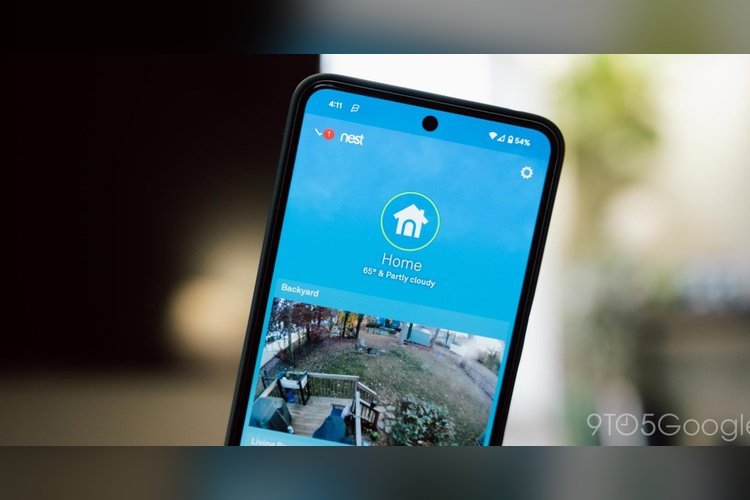
The Google Nest app is retiring on January 25, 2027. Google also plans to shut down Google Assistant on its speakers and smart displays on August 2, 2027, replacing it with the Gemini for Home voice assistant.
No Nest hardware loses support. But owners will need to change how they control their devices, and one data download is worth doing before the deadline.
The Nest app ends January 25, 2027
On that date the Nest app stops working on Android, iOS and the web. To keep controlling Nest devices remotely and getting notifications, people need the Google Home app, which requires a Google Account.
Google says it wants to put its engineering, security and feature work into one app. For most users, nothing else has to be done. Devices transfer to Google Home automatically, and existing schedules and settings come along.
The Home app covers the Nest Thermostat, Nest Cameras and Doorbells, Nest Protect (2nd gen) and the Nest x Yale Lock. Google lists a few upsides:
- Control from more places, including TVs, smartwatches, phone widgets, the Home Panel on Android, smart displays, speakers and home.google.com.
- A Favorites tab that puts live camera views and common controls up front.
- Rebuilt camera streaming and timeline loading, which Google says is faster and smoother.
- Pairing with Google Home speakers, TV streamers and thousands of Matter and Works with Google Home devices.
Download your custom video clips
The one thing that won’t move is custom video clips. With home.nest.com going away, those clips don’t transfer to Google Home. Google offers a one-click “Download All” button, so save them before the cutoff.
Subscribers are covered. Nest Aware (1st Gen) plans switch automatically to Google Home Premium at no extra cost and with no need to re-enter a credit card, at least for now.
Google Assistant leaves speakers on August 2, 2027
The second change follows the Android deprecation of Assistant in September. On speakers and smart displays, Gemini for Home takes over. Google says it handles natural language, so you don’t have to memorize rigid commands.
Google describes two improvements. Gemini answers more complex questions with fuller responses, and it copes with pauses and mid-sentence changes of mind. It also remembers the context of a conversation, so you can chain requests together.
How to switch to Gemini for Home now
You don’t have to wait. On a phone, open the latest Google Home app, tap your profile icon in the top right to reach Home Settings, then tap “Get Started” on the “Set up Gemini for Home” banner. On a computer, go to home.google.com/gemini.
Availability is limited by region for now. Google says international availability expands over the coming months.
What stays the same for Nest owners
Google stresses that no Nest thermostats, cameras, doorbells, smoke alarms or locks are losing support. This is an app consolidation, not a hardware end-of-life. A thermostat or camera you own today keeps working after January 25, 2027, as long as you manage it through Google Home.
The practical risk is inaction. Anyone who ignores the change and relies on the old app for remote access or alerts will lose both once it shuts off. Anyone who has stored footage through the old web portal should check what they have there first.
Why Google is making both changes now
The two announcements fit one strategy. Google is pulling its smart home control into one app and its voice assistant into one model family. Assistant already went away on Android in September, and speakers and displays are the next to move.
For households with older speakers, the change is the more noticeable of the two, since voice commands that worked for years will be handled by a different assistant with different behavior.
What happens next
The next dates to mark are January 25, 2027 for the Nest app and August 2, 2027 for Assistant on speakers and displays. Google says it will share more updates closer to the Assistant deadline.
If you own Nest gear, the practical checklist is short: install Google Home, sign in with a Google Account, download any custom clips you want to keep, and try Gemini for Home while the old assistant still works as a fallback.
Source: 9to5Google