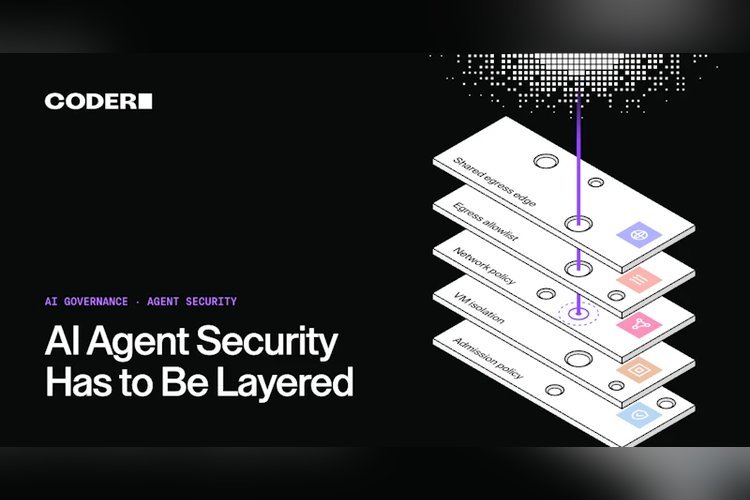
AI agent security rarely fails at a single point, and a new reference build on Amazon EKS makes the case for stacking several independent controls instead of trusting one. Coder tested the design with AWS Nitro Sandboxes, giving each coding-agent workspace its own hardware-isolated virtual machine.
The core argument is that system prompts and rules files merely advise, while approval prompts live in or next to the agent’s own process. Only a boundary that sits outside the agent, out of its reach, counts as a real control.
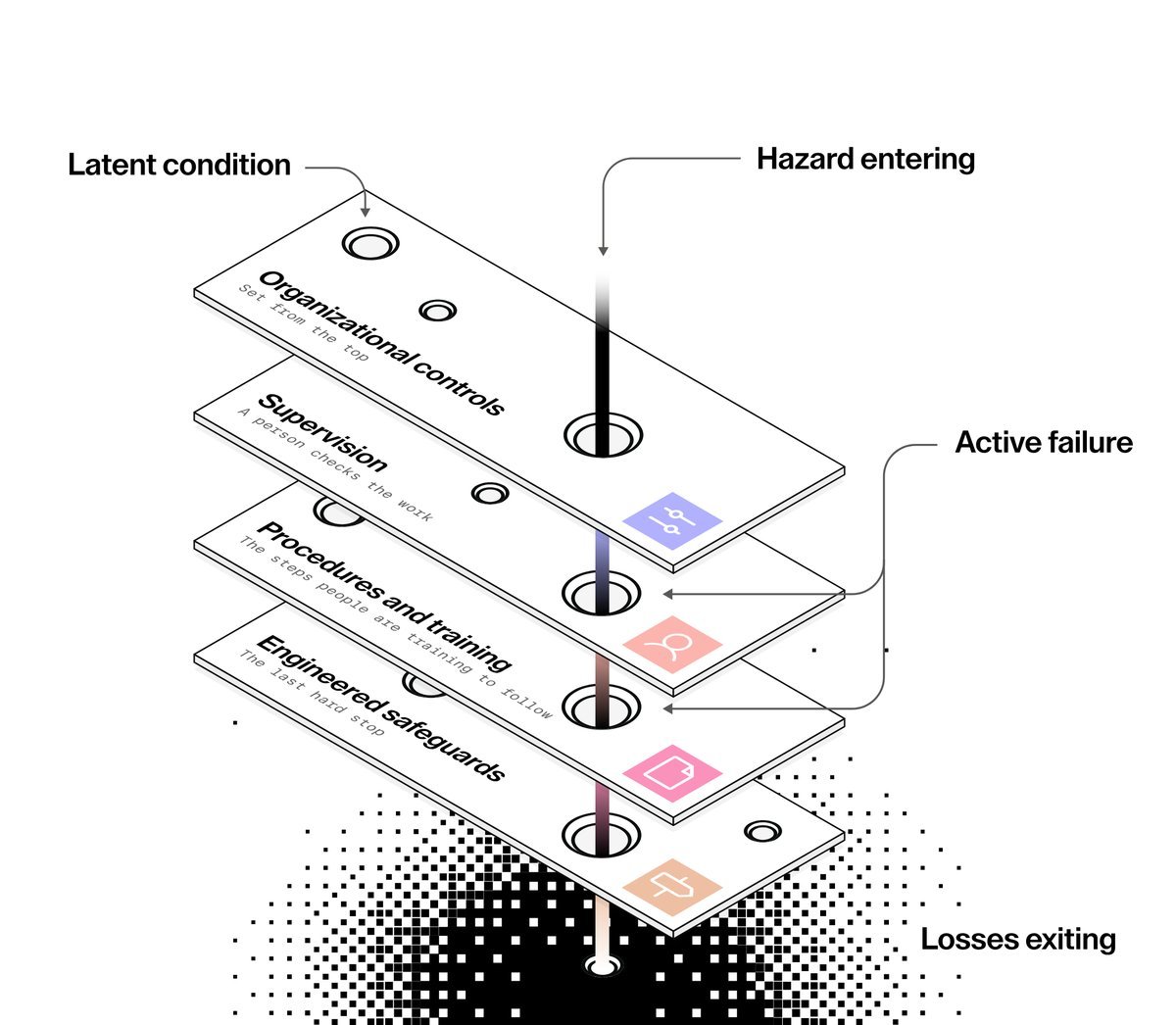
Why one control isn’t enough
Model calls in the build pass through AI Gateway, a piece of Coder AI Governance. Workspaces never hold provider keys and have no direct path to the provider, so every agent using the gateway is governed.
Next, the testers put a different vendor’s agent, Kiro CLI, into a similar workspace. It authenticated itself and contacted its vendor’s service directly, so the gateway never saw it. Kiro isn’t at fault, since it ships its own enterprise controls. A gateway just can’t govern traffic that avoids it.
The network layer still worked. The testers listed only the hosts Kiro’s core features need. Chat traffic passed, but 95 telemetry attempts and 6 self-update attempts were refused. Network and identity controls applied even though the gateway didn’t. Any AI agent security plan built on a single gateway, policy or sandbox has an agent it doesn’t cover.
The layers in the build
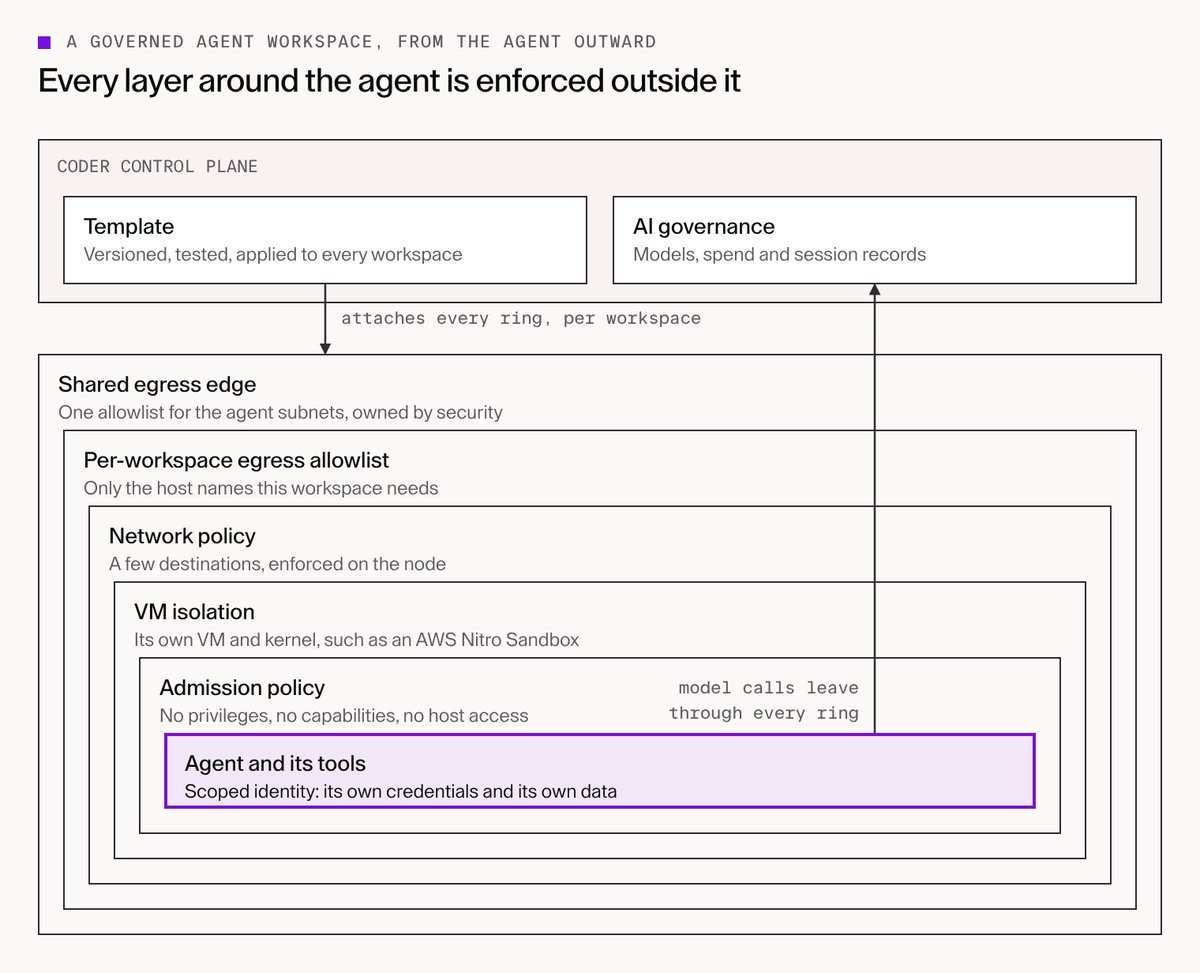
The design stacks seven boundaries, each enforced by something outside the one inside it:
- Admission policy that bars privileged workspaces and host access
- One VM per workspace with its own kernel, using AWS Nitro Sandboxes
- Network policy on nodes that deny traffic by default
- A per-workspace list of allowed host names
- A shared egress edge with one outer bound set by the security team
- Scoped identity, with separate cloud credentials and data for each workspace
- Central governance of models, spend and session records
Platform teams already know most of these tools, from Pod Security to IAM. The difference with agents is the demand that each workspace get the entire baseline, identically, every time.
Keeping the layers consistent
One forgotten network policy or one widened IAM role gives an agent a way through. The build had its own slip: agent nodes permitted traffic by default, so the documented stop procedure would actually have left a workspace open. A reviewer spotted it, and it was fixed and retested.
A versioned Terraform template now creates each workspace’s sandbox, service account, cloud session, storage prefix, egress proxy and allowlist, then attaches them to controls the security team owns. Three practices keep this honest:
- A separate stack, run by the security team, holds the shared firewall and admission rules. Templates may shorten the firewall’s list, never extend it.
- Template tests, failure paths included, must pass before each release.
- Prebuilt workspaces came up in roughly 10 seconds, which gives engineers little reason to dodge the controls.
Where the cheap controls run out
Host allowlists can’t see methods or paths. Every GitHub write the agent tried in the demo reached GitHub, an approved host, and was turned away on credentials rather than by the network. If a prompt injection gives the agent a GitHub token belonging to an attacker, the agent could push your code to their repository, and no cheaper network layer would notice.
Two answers exist. A required Git broker could pass traffic only to your own organization. Alternatively, TLS inspection can read request paths, at a price: the firewall sees tokens in plaintext, its signing key could vouch for any hostname, and AWS Network Firewall charges about $555 monthly for two endpoints. The team would leave it off by default and scope it to a single host.
Even then, two AI agent security risks remain: leaks through a permitted service, and damage done with valid credentials. Limiting what that access can change falls to branch protection, mandatory reviews, deployment approvals and vetted MCP servers.
What teams should do first
For AI agent security the suggested sequence begins with isolation: a VM for each workspace, no privileges and a network policy that is tightly limited. After that, send model calls through a gateway and issue each workspace separate, narrow credentials. Egress then gets bounded twice, per workspace and in a shared list, and the proxy logs deserve a read because they show agents bypassing the gateway.
After that, secure the edges around the workspace and govern actions throughout. Reserve a Git broker or TLS inspection for specific risks.
Coder says the pattern runs on EKS inside a customer’s own AWS account and can be tried through its AWS Marketplace listing. A governed-agents-nitro template in the Coder Registry handles the workspace side, while cluster controls such as the firewall, admission rules and IAM role are configured separately.
Source: Coder